grandMA2
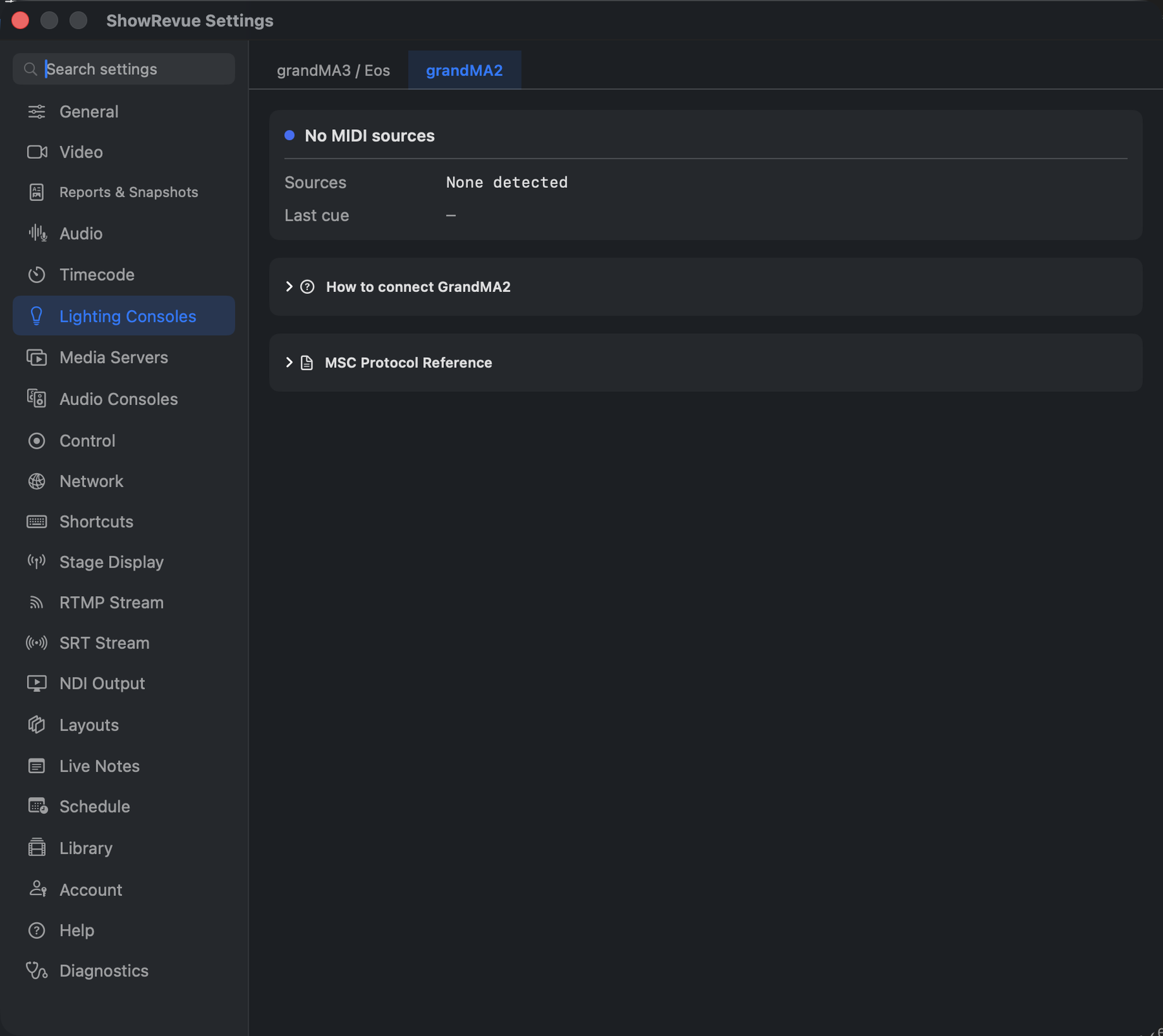
Preferences → Lighting Consoles → grandMA2: MIDI listening and connected MIDI sources.
ShowRevue receives grandMA2 cues as MIDI Show Control (MSC) GO commands, down a MIDI cable or a USB MIDI interface. It's receive only: ShowRevue logs every cue the MA2 sends, but it can't fire cues back to an MA2. MSC cue input needs a Base licence or above.
What you need
- a grandMA2 console or MA2onPC with a MIDI output,
- a MIDI interface into the Mac (USB MIDI or DIN). Pick a class-compliant one: MSC is SysEx, and cheap no-name USB-MIDI cables often drop SysEx. See MIDI Setup.
How ShowRevue listens
There's nothing to pick. ShowRevue listens on every MIDI source the Mac can see, all at once, and picks up sources plugged in later without a restart. It accepts any MSC device ID and any command format, and acts on GO commands only. The full detail is on MIDI Setup.
In Launch New Show
Choose grandMA2 on the lighting console page (its line reads MIDI Show Control cue input). The grandMA2 setup page that follows:
- lists the MIDI sources the Mac can see. It's a list, not a picker, because ShowRevue listens on all of them;
- gives the one-line desk instruction;
- has a Cue received from the desk check. Press GO on the MA2 and it ticks with the page and cue it got.
There's no console IP, no Send GO and no Confirm on this page, because nothing goes back to the desk. The review page shows grandMA2 · MIDI MSC cue input.
In Preferences
Preferences → Lighting Consoles → grandMA2 shows:
- MIDI listening (or No MIDI sources), how many sources are connected, and when the last cue arrived;
- Connected MIDI Sources, the list of what's plugged in;
- How to connect GrandMA2, the desk steps.
On the MA2
On the console, press Setup, then MIDI Show Control under the Console tab. On the Out row:
- Set Mode to MIDI.
- Set Exec. If the show runs from more than one executor, use Exec Page (the NULL-separated option) so ShowRevue can tell them apart; it shows the executor number as the cue list. With Default Only, only the selected executor sends.
- Device and Send to: any ID works. ShowRevue accepts all of them, including All.
- Command format: any. ShowRevue doesn't check it.
- Use a different MIDI channel for In and Out if the desk also receives MSC, or you create a loop.
Connect the MIDI path:
- Connect the MA2 MIDI Out (or its USB MIDI) to the Mac's interface.
- If you like, check the interface appears in Audio MIDI Setup.
Test it:
- Fire a cue on the MA2.
- Last cue in Preferences updates, and the cue appears in ShowRevue.
An MSC GO carries the cue number and the executor and page it fired on. It doesn't carry cue names, so MA2 cues arrive in ShowRevue as numbers only. That's how MSC works, not a ShowRevue limit. The MA2 also sends cue 0 when it pauses; ShowRevue ignores it.
ShowRevue doesn't send cues back to an MA2
Fire-back during playback works with grandMA3 and ETC Eos over OSC. For an MA2, use the recorded cue list as a reference and fire cues on the desk by hand.