RTMP Streaming
Requires the Max licence tier.
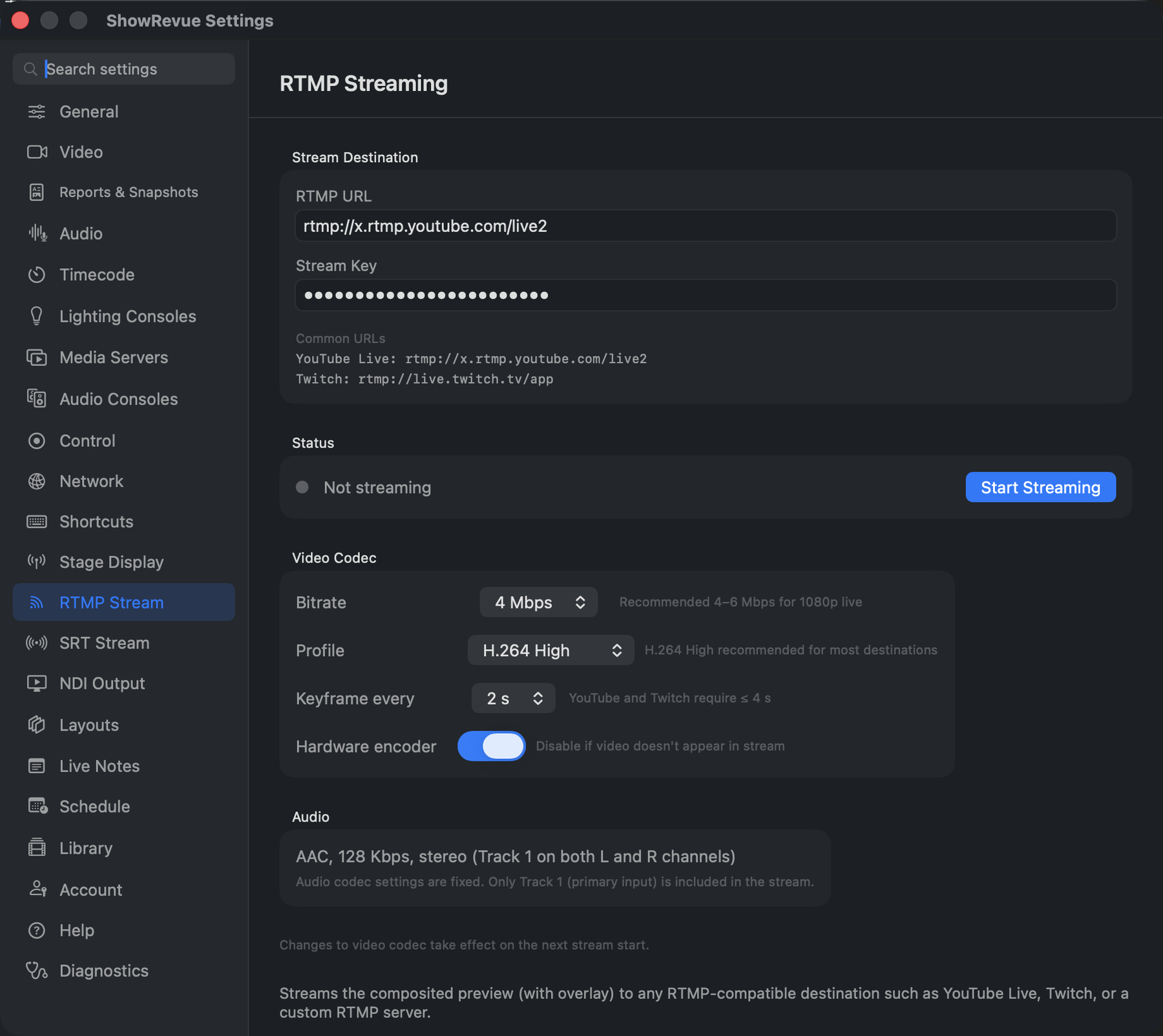
Preferences → RTMP Stream: destination URL and key, plus video and audio codec settings.
ShowRevue streams the composited live preview (camera feed with overlay) to any RTMP endpoint. The audio stream carries Track 1 (primary input) duplicated to both left and right channels.
Setup
- Open Preferences → RTMP Stream.
- Enter the RTMP URL and Stream Key (separate fields).
- Click Start Streaming.
A red RTMP badge appears in the live view while streaming. The connection log below the Start button shows connect and error events in real time.
Platform URLs
| Platform | RTMP URL | Key |
|---|---|---|
| YouTube Live | rtmp://x.rtmp.youtube.com/live2 | Stream key from YouTube Studio → Go Live → Stream |
| Twitch | rtmp://live.twitch.tv/app | Stream key from Twitch → Creator Dashboard → Settings → Stream |
| Custom | Your ingest URL | As configured on your server |
YouTube also accepts
rtmps://a.rtmp.youtube.com/live2(TLS). Use the plainrtmp://x.URL shown in YouTube Studio for the simplest setup.
Audio
The RTMP stream carries Track 1 audio (your primary input device) on both left and right channels. Other audio tracks captured during recording are not included in the stream.
SRT stream to a lighting console
Preferences → SRT Stream sends the same composited preview (camera with the overlay) over SRT, so a lighting console can show it. An ETC Eos takes SRT in a Magic Sheet video object.
SRT runs the other way round from RTMP. ShowRevue doesn't dial out; it listens, and the console connects to it. No ingest server is involved, the two just need to be on the same network.
- Set the Port (default
9710) and click Start Listening. - Copy the address under Point the console at (
srt://<this-mac>:<port>). - On an Eos: Setup ▸ System ▸ Video Streams, add a stream and paste the address.
- Drop a Video Stream object onto a Magic Sheet and target the new stream.
Settings: Bitrate (2 to 4 Mbps is plenty for a console view), Profile (consoles need H.264; HEVC connects but shows nothing), Keyframe every 1 to 4 s (1 s lets a reconnecting console pick up the picture sooner) and Hardware encoder (turn it off if no video appears). ShowRevue serves one SRT client at a time. If the console drops, it keeps listening so the console can reconnect on its own.
SRT shares the RTMP entitlement, so it also needs Max.
NDI output
ShowRevue also sends the composited preview as an NDI output source (Professional tier). Any NDI-capable receiver on the same network can discover it automatically, no IP configuration needed. See NDI Output.