Control
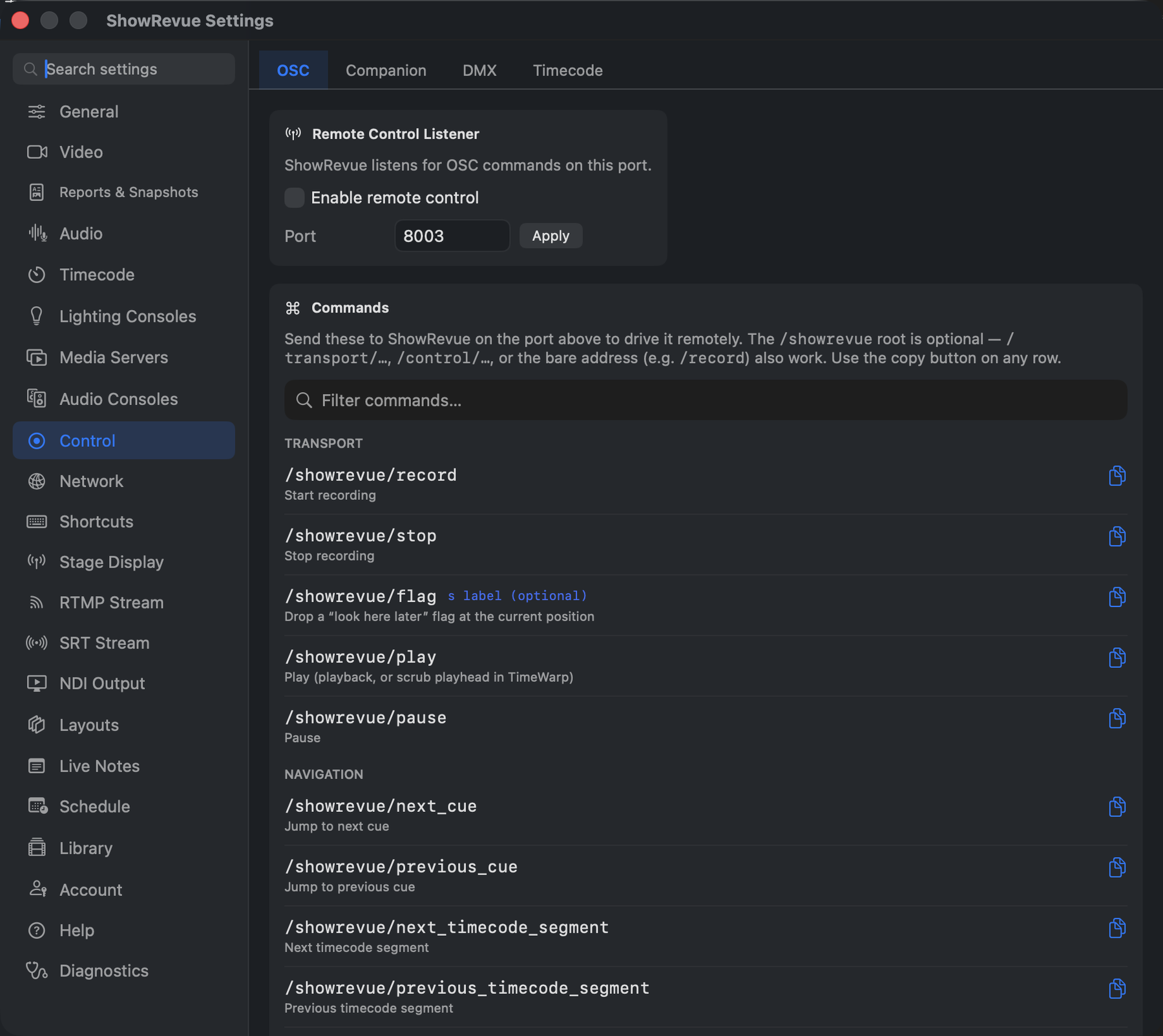
This is ShowRevue being controlled by something else. Four sub-tabs: OSC, Companion, DMX and Timecode.
OSC
OSC control needs a Professional licence.
The Remote Control Listener. Turn on Enable remote control and set the Port (default
8001, not the 8000 cue input port). ShowRevue then takes OSC commands to record, stop, play, jump
cue, step frames, set loop points, and more.
The /showrevue root is optional: /transport/…, /control/… or the bare address (/record) all
work. The Commands list in the tab is searchable, with a copy button on every row. Full address
reference: OSC Remote Control.
Companion
Two directions, and they're independent:
- Variable Polling. ShowRevue reads Companion's variables (host
127.0.0.1, port8000, poll 200 ms). Paste$(connection:variable)straight into any Custom Text overlay widget and it resolves live; the Variable Library here is just for discovery and previewing values. - Send Feedback to Companion. ShowRevue publishes its state (
/showrevue/state/*: record state, cue, show name immediately; timecode and fps once a second) out to the machine running Companion (default port8002).
Commands from Companion arrive on the OSC listener above, which has to be enabled separately.
On a single machine the control-in port and the feedback-out port must be different numbers. Note
also that Companion polling defaults to 8000, the same number as the console OSC cue input.
See Companion Module.
DMX
The DMX record trigger needs a Professional licence. The tally isn't gated.
- Record Trigger (DMX). One control channel on the desk rolls the record. Pick sACN or Art-Net, the Universe and the Channel (and the network interface for sACN). Put the channel at full (255) to start recording and 50% (126–128) to stop. A command fires once the level has held for a second, so fades and parked levels are safe. A live readout shows whether data is arriving and the current level.
- Recording Tally Out (DMX). The other way round: ShowRevue sends a channel the desk can map to a recording indicator on a magic sheet. Choose the protocol, universe, channel and Steady 255 or Slow pulse. It sits at 0 when not recording.
More in DMX Record Trigger.
Record on Timecode
Record When Timecode Runs starts a recording whenever timecode arrives, and stops it once timecode has been silent for the number of seconds you set. Set that longer than any timecode gap inside your show. The app marks it "Not recommended for most shows": it suits a timecode-only show, and very little else.
Output Audit Trail
The log of everything ShowRevue has sent to a console or media server, and anything the safety gate blocked, now lives at the bottom of Diagnostics. See Show Safety.