General
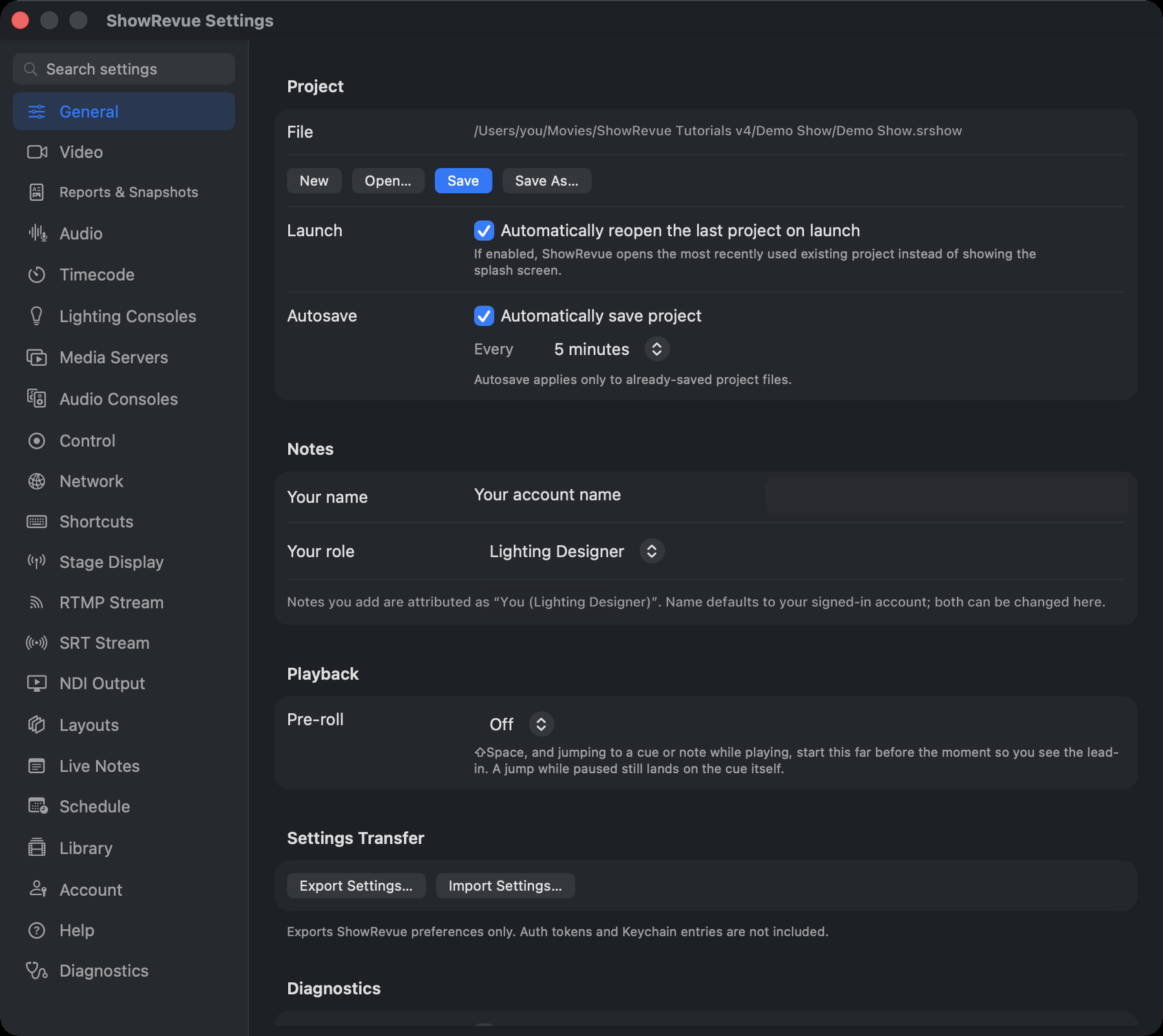
Project
- File. The current project's path, or Unsaved. A dot appears when there are unsaved changes.
- New / Open… / Save / Save As… New opens the Launch New Show wizard.
- Launch. Automatically reopen the last project on launch. Off, ShowRevue shows the Welcome window instead.
- Autosave. Automatically save project, with an interval of 1, 2, 5, 10, 15 or 30 minutes (default 5). Autosave only applies to a project that has already been saved once.
Playback
- Pre-roll. Off, 2 seconds, 5 seconds or 10 seconds (default Off). With pre-roll on, ⇧Space and jumping to a cue or note while the recording is playing start that far before the moment, so you see the lead-in. A jump while paused still lands on the cue or note itself. While the pre-roll is running, previous and next cue still step to the cue you were heading for, not the one you are about to pass. See Playback and Cues.
Notes
Your name and Your role (pick a preset, or Other to type your own). Notes you add are attributed as "Dean Barnett (Lighting Designer)". The name defaults to your signed-in account; both can be changed here.
Settings Transfer
Export Settings… / Import Settings… moves your preferences to another Mac. Import shows you a diff of what will change first, and warns you to restart if audio devices, ports or server bindings moved.
Only ShowRevue's own preferences travel. Auth tokens and Keychain entries are never exported. Anything that looks like a token, secret, password or credential is excluded.
Diagnostics
- Send crash reports to ShowRevue (off by default). On a crash you're prompted at the next launch to email a backtrace. No show content is included.
- Receive bleeding-edge builds (off by default). The earliest, least-tested builds the moment they ship. Off is the standard beta track. Takes effect at the next update check.
- Share anonymous usage statistics (on by default). Which integrations you use, recording counts and a rough length band, app/OS version, keyed to a random device id. Never your show names, notes, IP, video or cue data. See Data & Security.
- Reset all preferences…. Back to first-run defaults, then relaunch. Your projects and recordings are untouched.
If ShowRevue won't open
Hold Option (⌥) while launching to do the same reset without opening the app.