Layouts
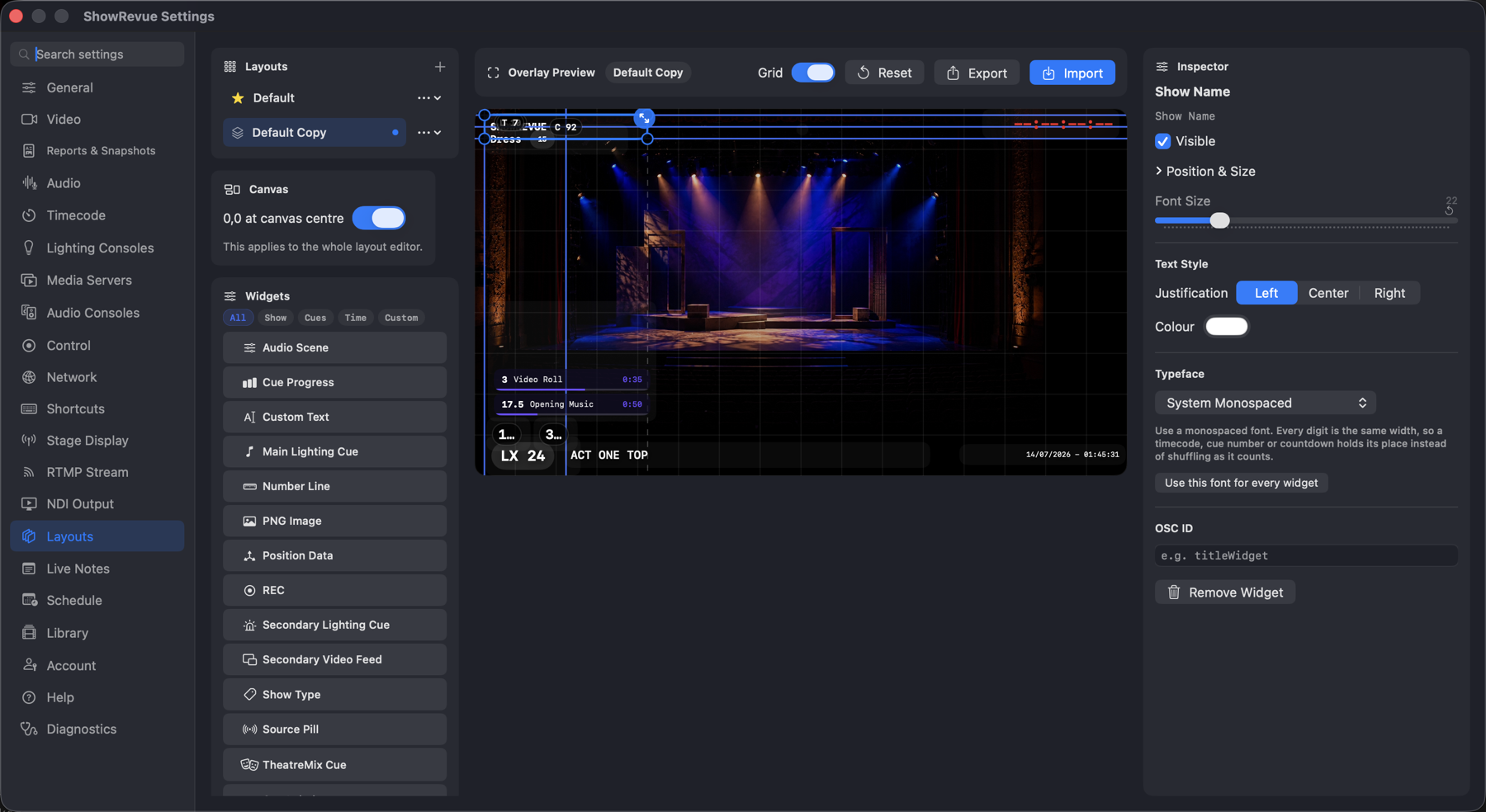
Custom layouts need a Base licence. Base recordings also carry a burned-in ShowRevue watermark; removing it needs Professional.
Every widget, and what it shows: Overlay Widgets. This page is the editor.
Presets
The starred Default preset is locked. Duplicate it to edit. The ⋯ menu on each preset gives
Duplicate, Rename and Delete, and Export / Import move a layout (.srlayout) between machines.
Layouts are saved with the project, so a show carries its own looks.
Canvas
- Grid. A 16×9 guide, on by default.
- 0,0 at canvas centre. Flips the position sliders from
0…1to−0.5…0.5, if you'd rather think from the middle out. - Drag to move, drag the handles to resize. Arrow keys nudge,
⇧+arrows nudge 10× further,⌘⌫deletes.
The preview shows the live camera behind your widgets, except while recording, when it pauses ("Live preview paused while recording").
Widget palette
Filter by All / Show / Cues / Time / Custom; unused widgets sort to the top. Every widget is single-instance (clicking one that's already on the canvas just selects it) except Secondary Lighting Cue, which you can add as many times as you have parallel cue lists.
Inspector
Per widget: Visible, Position & Size, Font Size, Justification, Colour, and Typeface (with Use this font for every widget). Then the per-widget extras: the PNG image, the wall-clock format, the number-line marks, the Second Feed's crop and flip, the Secondary Lighting Cue's list picker, and so on.
OSC ID names a widget so it can be driven remotely:
/showrevue/widget/<id>/show
/showrevue/widget/<id>/hide
/showrevue/widget/<id>/color