Live Notes
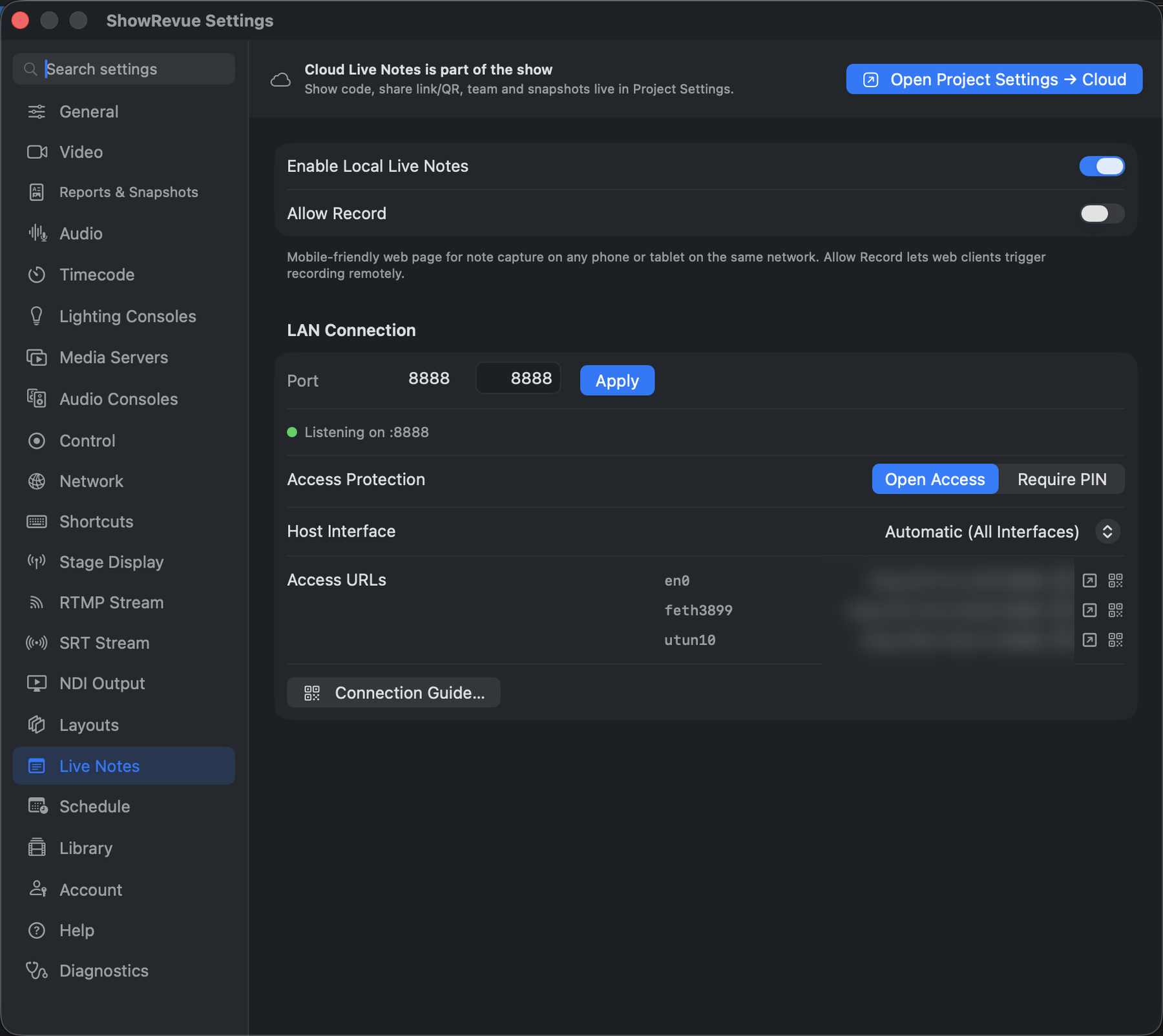
How the crew uses it: Live Notes. This page is the tab.
Live Notes needs a Professional licence.
This tab is the local (LAN) server only. It shows a port and the web addresses to hand out; there's no show code here. The cloud side (show code, share link and QR, the team roster, snapshot upload) lives in Project Settings → Cloud, because it belongs to the show rather than the machine. There's a button here that jumps straight there.
The cloud team is where the owner assigns roles, including the Stage Manager who reviews and sends session report drafts. See Session Reports.
Enabling it
- Enable Local Live Notes. A mobile-friendly note page for any phone or tablet on the same network.
- Allow Record. Lets web clients start and stop the recording remotely. Off unless you mean it.
LAN Connection
- Port (default
8888) + Apply, with a live Listening on :8888 status. - Access Protection. Open Access or Require PIN (a 4-digit PIN). Switching back to Open clears the PIN.
- Host Interface. Which NIC to bind to.
- Access URLs. The addresses to hand out.
- Connection Guide…. Generates a printable PDF for the crew: QR codes to join the Wi-Fi and open Live Notes. Stick it on the callboard.