Network
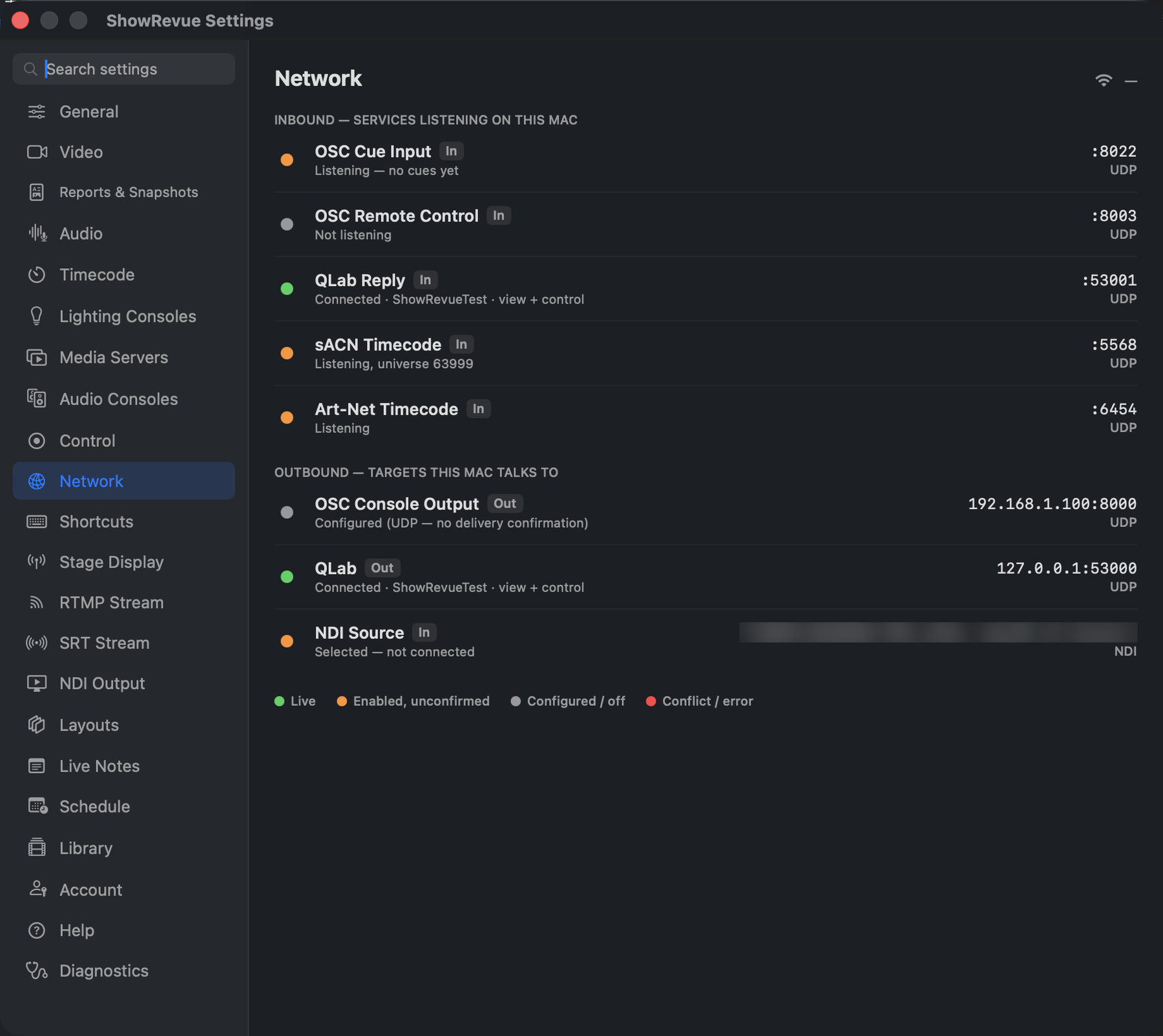
Inbound services listening on this Mac, and outbound targets it talks to.
Entirely read-only. A dashboard, not a settings page. Every value here is changed in the tab that owns it. Use this when a phone can't reach Live Notes, or the desk's cues aren't landing, and you need to see what's actually listening.
Inbound: services listening on this Mac
OSC Cue Input (UDP), OSC Remote Control (UDP), QLab Reply (UDP, only when QLab is on), Live Notes (TCP), Stage Display (TCP), sACN Timecode (UDP 5568), Art-Net Timecode (UDP 6454).
Outbound: targets this Mac talks to
OSC Console Output (UDP), QLab (UDP), Companion Variables (HTTP), Companion Feedback (UDP), TheatreMix (UDP), and the NDI source.
Reading the status dots
| Colour | Means |
|---|---|
| Green: Live | Verified: traffic is actually flowing |
| Orange: Enabled, unconfirmed | Switched on, nothing seen yet |
| Grey: Configured / off | Fire-and-forget UDP, where no acknowledgement exists to confirm delivery |
| Red: Conflict / error | Two services on one port, or a bind failure |
These dots are this tab's own legend. They aren't the timecode pill in the main window, which is green, gold or red.
The dots pulse a ring on each packet, so you can watch a cue arrive.
A red banner appears if two services collide on the same port ("Port conflict on 8000, two services
share a port. Change one in its tab."). The classic one is Millumin or Companion defaulting to 8000,
the same port as the console cue input.