Reports & Snapshots
What leaves a session, rather than how it's captured.
Cue Snapshots
Cue snapshots need a Base licence.
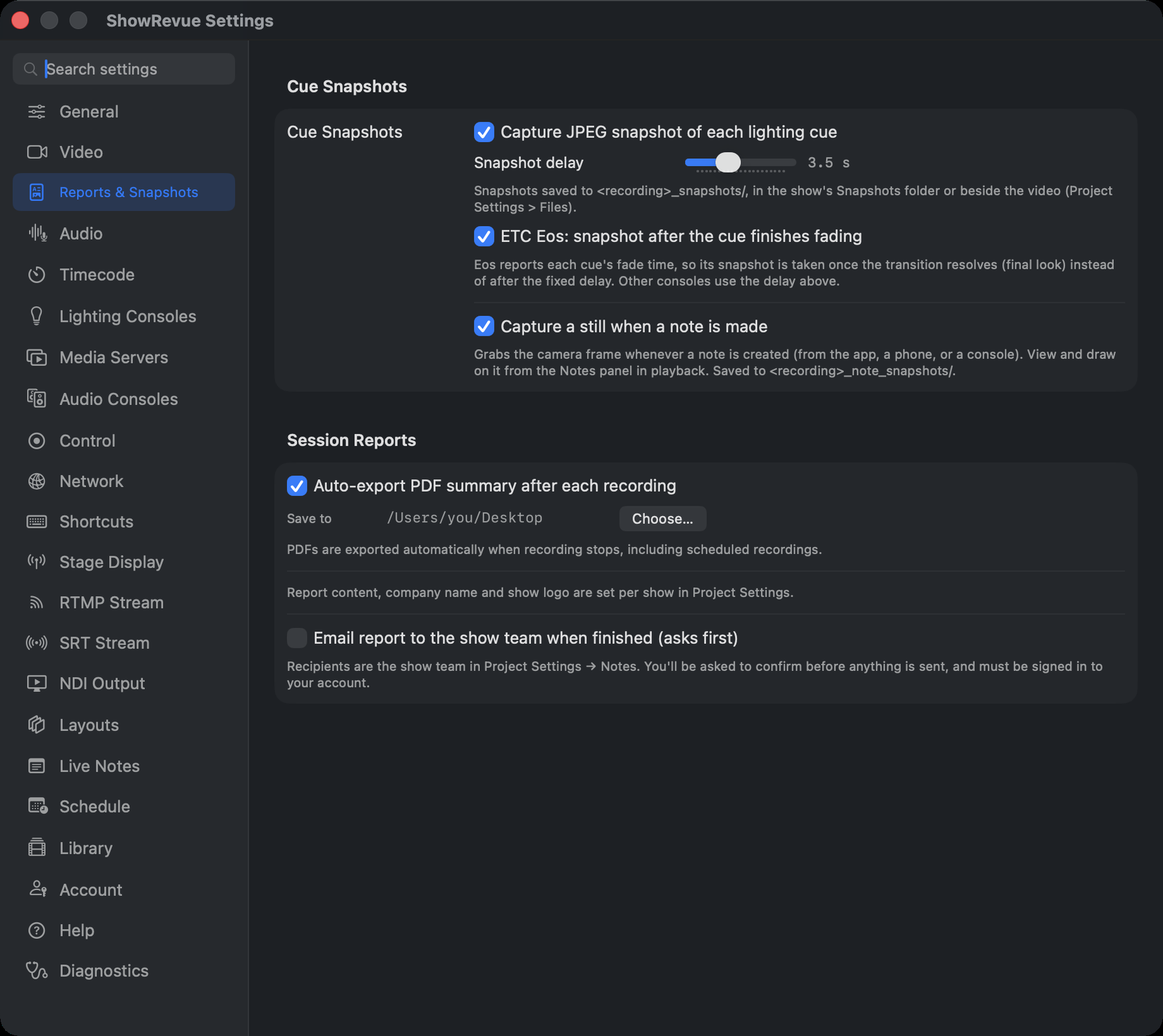
- Capture JPEG snapshot of each lighting cue. A reference frame every time the desk fires. Saved
to
<recording>_snapshots/, in the show's Snapshots folder or beside the video, depending on Project Settings → Files. - Snapshot delay (0–10 s, default 2 s). How long after the cue fires to grab the frame, so you catch the state rather than the transition.
- ETC Eos: snapshot after the cue finishes fading (on). Eos reports each cue's fade time, so its snapshot is taken once the transition resolves (the final look) instead of after the fixed delay. Other consoles use the delay above.
- Capture a still when a note is made (on, not gated). Grabs the camera frame whenever a note is
created, from the app, a phone or a console. View and draw on it from the Notes panel in playback.
Saved to
<recording>_note_snapshots/.
Session Reports
Session reports need a Base licence.
- Auto-export PDF summary after each recording. Off by default: turn it on if you want a report every time a recording stops, scheduled recordings included.
- Save to. Where the PDFs land, with Choose…. Appears once auto-export is on. A Reports folder inside the show's folder keeps them with everything else.
- Email report to the show team when finished (asks first), also off by default. Recipients are the show team in Project Settings → Notes. ShowRevue asks you to confirm before anything is sent, and you must be signed in.
Report content, company name and show logo aren't set here. They live per show in Project Settings, so a report carries that show's own branding.
What happens to a cloud report
For a signed-in cloud show, what a finished recording does with its report is a per-show setting ("When a recording finishes"), set in the app under Project Settings → Cloud or on the website Show page; the two sync. Three modes: send it automatically, store a draft in the cloud, or store a draft and notify the stage manager to review and send it. When the mode is auto-send, an auto-send trigger decides when: after every recording, once a day (the day's last recording), or only when a show reaches its end cue.
The end-of-recording review prompt only appears on a GUI Stop. A remote or automatic stop (OSC, DMX, a duration cap, the scheduler) finalises silently; any configured auto-send or draft still happens.
See Session Reports for what's actually in the PDF.