Schedule
Scheduled recording needs a Max licence.
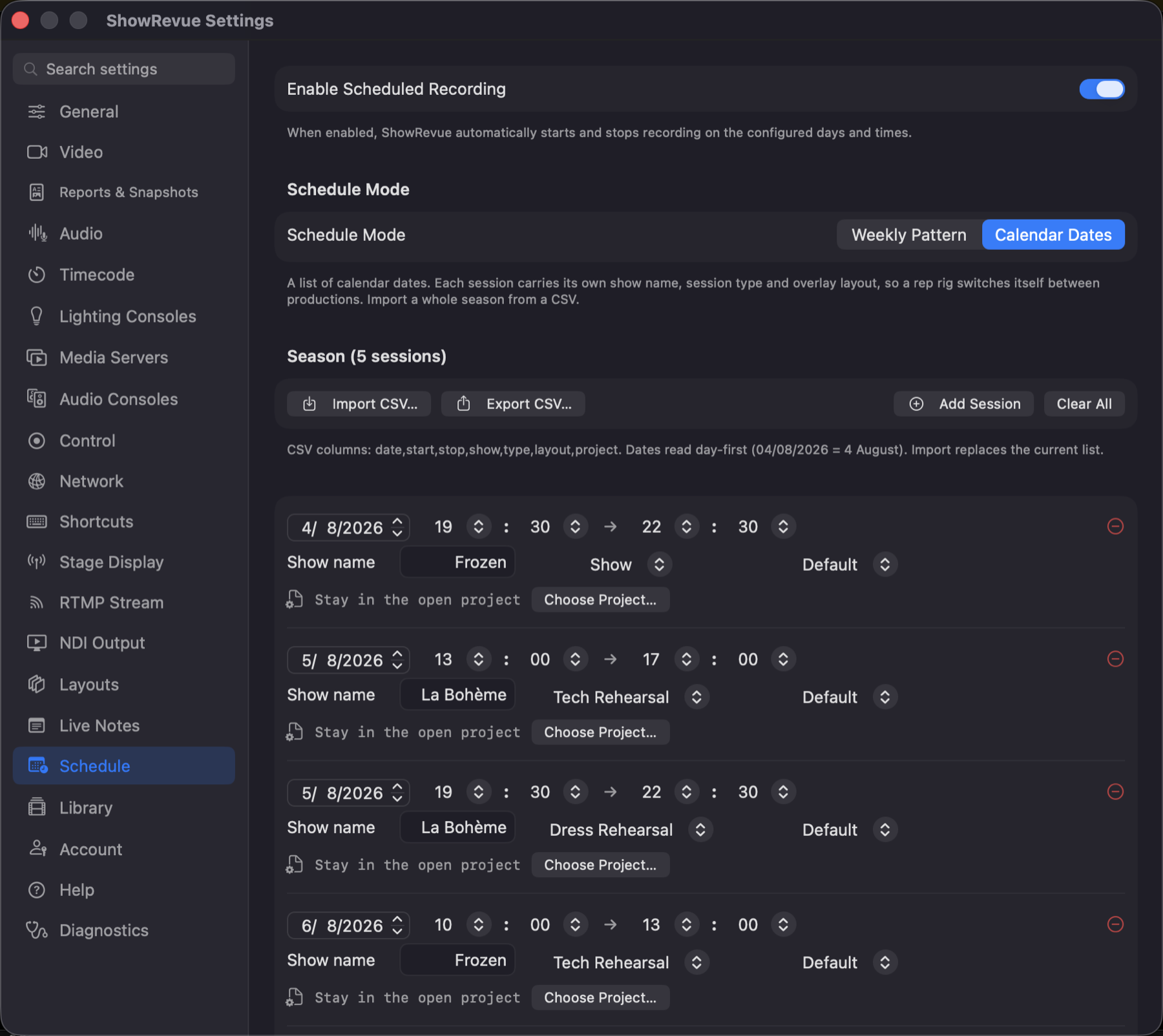
Turn on Enable Scheduled Recording and ShowRevue starts and stops recording by itself on the days and times you set. Don't leave it on by accident on a Mac you're using for something else. The full workflow (CSV format, one rig running two productions, renaming session types) is in Scheduling. This page is the tab.
Schedule Mode
- Weekly Pattern. A date range, the active weekdays, up to 4 record windows a day, one session type, and optionally one project for the whole pattern.
- Calendar Dates. A list of dated sessions. Each row carries its own show name, session type, overlay layout and project file, so a rep rig switches itself between productions.
In Calendar Dates mode: Import CSV… a season, Export CSV… to edit it in a spreadsheet, Add Session by hand, or Clear All. Import tells you at your desk about any layout or project the CSV names that this machine doesn't have, rather than on the night. (Those sessions fall back to the current layout / open project rather than losing the take.)
Times are set in 5-minute steps. A stop time earlier than the start spans midnight.
Session Reports
Scheduled recordings export their report PDFs to a separate folder, set here.
Storage Estimate
"X per session · N sessions · Y total", from your current codec and quality. The record windows across the date range in Weekly mode, or the length of every dated session in Calendar Dates mode.
The next trigger is shown at the bottom of the tab, and in the main toolbar as a calendar badge:
Next: Sat 8 Aug 19:30. Frozen · Show.