Stage Display
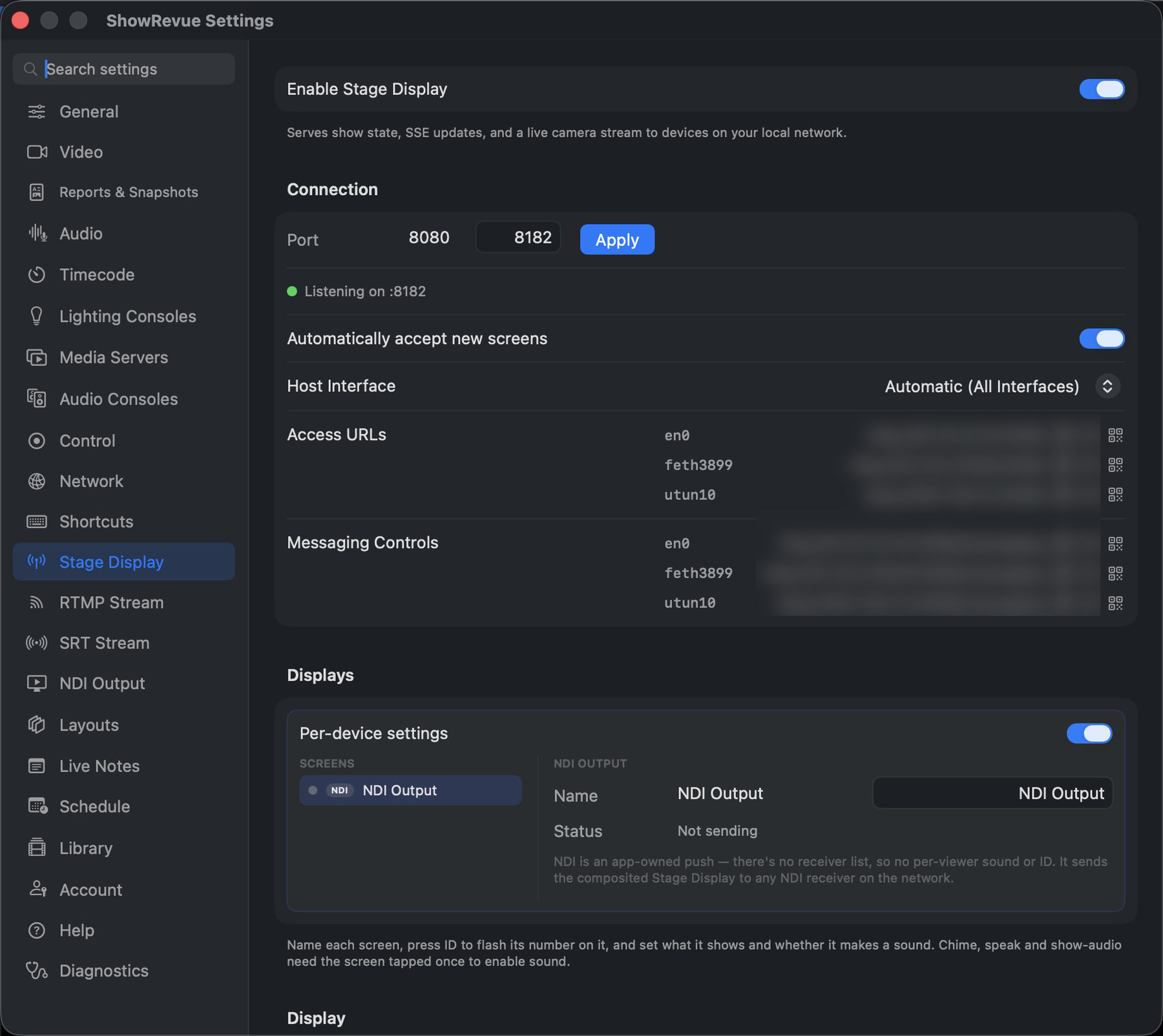
Stage Display needs a Max licence. There's no PIN: access is by approval.
What it is, and what the crew sees: Stage Display. This page is the tab.
Connection
- Port (default
8080) + Apply, with a live Listening on :8080 status and a count of connected devices. - Automatically accept new screens (on by default). On, any screen on the network that opens the link goes live straight away. Off, "New screens wait for approval": a new screen sits on a holding page and appears in the Displays list as Pending until you approve or block it. Approval sticks to that screen across reconnects. Turn auto-accept off on any network you don't fully trust, so a random phone in the foyer can't pick up your show.
- Host Interface. Automatic (All Interfaces), or a specific NIC. Changing it restarts the server.
- Access URLs. Copy, open, or show a QR code for each. The Messaging Controls URL is the operator's page for sending messages to the crew.
Displays
A per-screen roster. Each row is one browser (a stable id from its cookie, not just an IP), so the same tablet keeps its identity across reconnects. Per screen you can:
- Name it ("Green Room", "SM Desk") and press ID to flash its short number on the physical monitor.
- Approve or Block it when auto-accept is off. Blocked screens sit in a separate list with an Unblock button.
- Set what that screen shows, and whether it makes a sound. Chime, speak and show-audio relay each need the screen tapped once first to unlock audio.
The Display settings below are the defaults for new screens; any of them can be overridden per screen from this list.
Display
Choose what's on screen: Top-left content (Show Name / Custom Text / a transparent PNG, the Show Logo from Project Settings), then toggle cue number, cue name, LTC timecode, media server cue, REC status, elapsed time and Show State.
Display scale (0.5×–2×) sizes the whole output for the screen it's on, and Message text size (0.5×–3×) scales the paging message text (calls, GO, custom messages). Hide SHOWREVUE branding removes the wordmark; it needs the same Professional entitlement as removing the recording watermark, and a lower tier always shows the wordmark.
Secondary Display
Mirror to display puts Stage Display full-screen on an extended display: a clean front-of-house or director monitor with the live camera, current cue and operator messages. Only extended displays are offered; the Mac's own screen is deliberately excluded.
⇧⌘D toggles it. If the display is unplugged the window closes; the LAN server keeps running.