Video
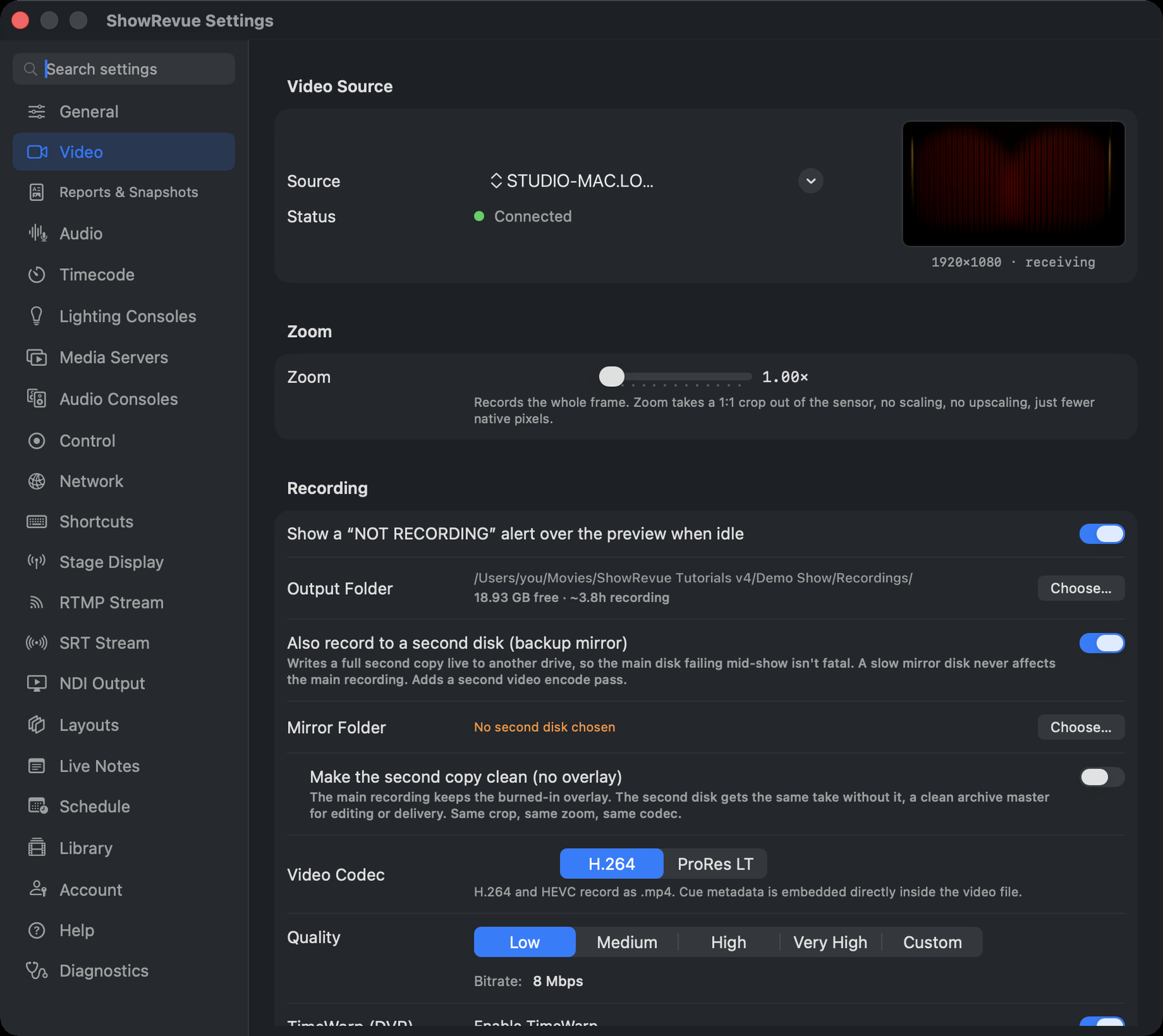
Video: source, zoom, recording folder + backup mirror, codec, quality, TimeWarp and performance.
Video Source
- Source. Every camera on the Mac, and every NDI source on the network (the NDI list only appears when the NDI SDK is installed; if it isn't, ShowRevue tells you to get it from ndi.video and restart).
- Quality (cameras only): 1080p or 4K.
- Flip (cameras only). Horizontal / Vertical, for a rigged or mirrored camera.
- Status (NDI only). Connected, meaning frames are arriving, not merely that a receiver exists.
Zoom: a crop, not a scale
Zoom (1×–4×) records a 1:1 crop out of the sensor rather than scaling the picture up. On a 4K camera, 2× writes a real 1920×1080 of native pixels, no upscaling, no resampling, and a smaller file. The readout does the maths for your actual source:
Source 3840×2160 → records 1920×1080. Native 1080p from 4K, no upscaling.
Above 1× a framing pad appears: the whole frame with the recorded rectangle drawn on it and everything outside dimmed. Drag the box to pan and tilt. Arrow keys nudge, double-click re-centres, and Centre resets the framing.
The overlay composites onto the cropped canvas, so a zoomed take isn't overlaid at sensor scale.
The video track is sized on its first frame, so the crop can't change mid-take.
Recording
- Show a "NOT RECORDING" alert over the preview when idle. A standing reminder that you are not, in fact, rolling.
- Output Folder. With a live "X free · ~Y recording" estimate that turns red under 5 GB. The
choice travels with the show. A show that never sets one records beside its
.srshow, and a folder that can't be reached (another Mac, a drive not mounted) falls back to the same place. - Also record to a second disk (backup mirror). Writes a full second copy live to another drive, so the main disk failing mid-show isn't fatal. A slow mirror disk never affects the main recording; it costs a second video encode pass.
- Video Codec. H.264 (
.mp4, cue metadata embedded inside the video file) or ProRes LT (.mov, cue metadata in a sidecar JSON next to the video). HEVC is not offered for capture. Its hardware encoder can fail mid-record, but old HEVC recordings still play. - Quality (hidden for ProRes). Low / Medium / High / Very High (8 / 12 / 25 / 45 Mbps), or Custom (5–80 Mbps).
- TimeWarp (DVR). Enable TimeWarp (on) keeps a rolling buffer while recording (1–8 hours, ≈1 GB/hour) so you can scrub back into a take that's still running. Deleted automatically when the recording stops. Can't be changed while recording. Turn it off to save disk and CPU; scrub-back is then unavailable. Scrubbing back needs a Professional licence.
- Performance → Low-power mode. Automatic (on for Intel, off for Apple Silicon), On (throttles overlay re-renders and marquee scrolling to ease older Intel Macs; recording quality is unaffected) or Off (full-rate overlay rendering).
Show name, default session type, console cue mapping and show timing are not here. They're in Project Settings.