Show Calling Trainer
The Show Calling Trainer ("Call the Show") is a cue-calling drill for the DSM. Open a recorded take, then standby and Go every cue as it comes (by keyboard or by voice) and get scored on how close each call lands to the recorded cue, to the tenth of a second.
It runs on its own player, completely independent of the live take and the main playback timeline, so you can practise without touching the recording.
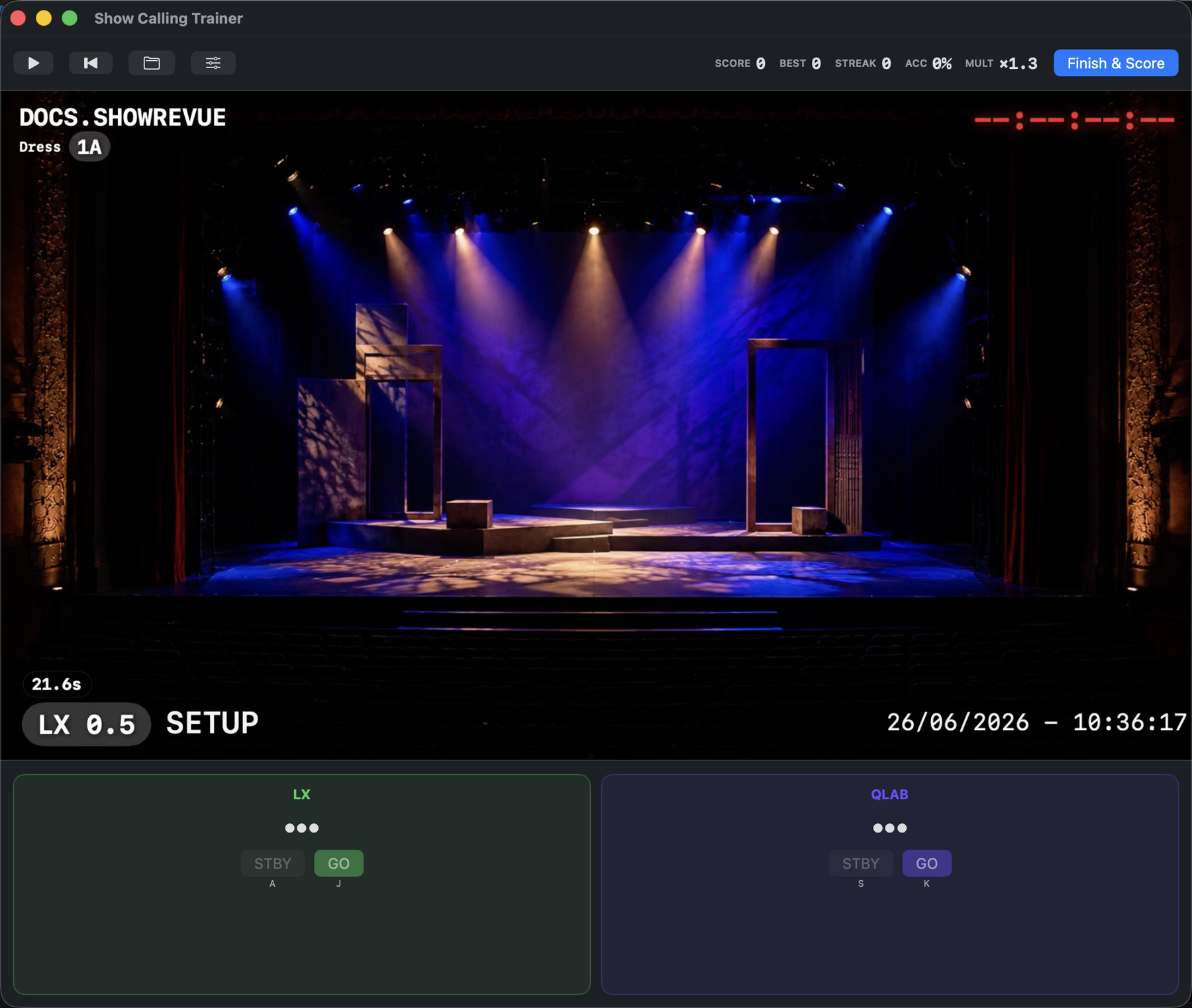
Transport and live Score / Best / Streak / Accuracy up top, the take playing with its overlay, and the next LX and Media cues as standby/Go cards. Hit Go as each lands.
Opening a session
Open a recording in Playback, then choose Window → Show Calling Trainer (⌥⌘4). If nothing is loaded, click Open recording… and pick a take with cues. The trainer reads that file's own cues. It doesn't touch the project's live cue list.
Input is disabled until playback is running, so you call in real time against the moving take.
Calling cues
Cues are organised into a column per cue type in the take (LX, QLab, Millumin, Media, Fly; only the types the recording has), each with a STBY and a GO.
Keyboard
The keys follow the column order, left to right:
| Column 1 | Column 2 | Column 3 | Column 4 | Column 5 | |
|---|---|---|---|---|---|
| Standby | A | S | D | F | G |
| Go | J | K | L | ; | ' |
Standby the next cue in a column, then Go it when the moment lands. Press start and the trainer counts you in to the FIRST CUE, which isn't scored, because the count-in hands it to you. Go too early and it shows TOO EARLY.
Voice
With voice calling enabled, call cues out loud ("Standby LX 47", "LX 47 Go") and the trainer recognises the type and number. A bare "Go" fires the armed column, and stays armed for rapid back-to-back Gos. Recognition is on-device.
Voice calling requires macOS Dictation to be enabled (System Settings → Keyboard → Dictation) and microphone permission. You can pick a dedicated input device so the mic doesn't clash with the program audio.
Scoring
Every call is scored against the recorded cue time, to the tenth of a second, and marked on time, tight, early, late, missed or wrong cue. Press Finish & Score (or let the last cue go) for the scorecard: a total score with a letter grade (A to F), accuracy, best streak, average delta, misses, wrong cues, a By type breakdown and every call with its off-by delta. History keeps past attempts on the same recording.
Difficulty multipliers raise the challenge:
- Hide video. Call blind to the timeline.
- Hide hints. No on-screen standby prompts.
- Voice. Call out loud instead of by key.
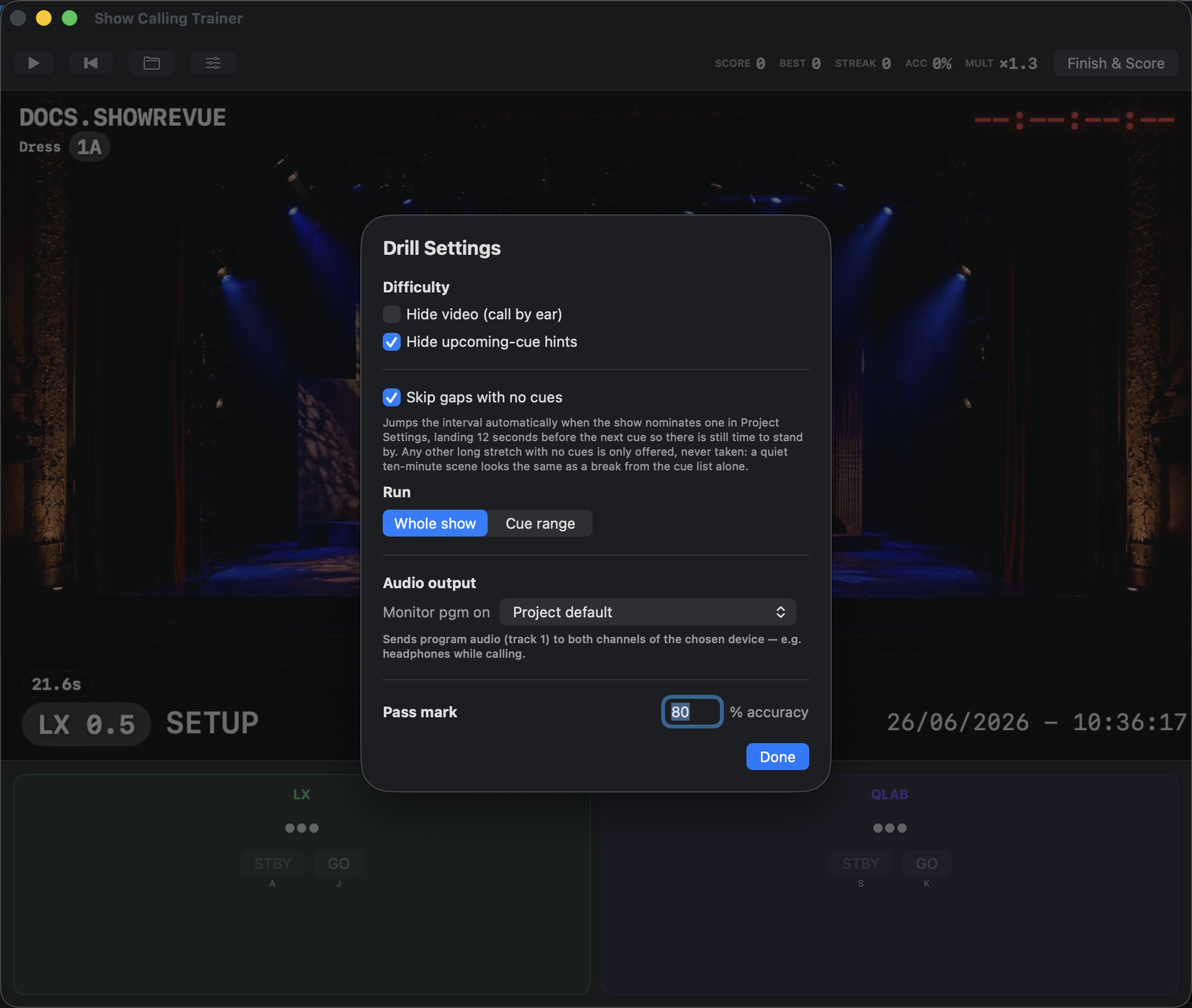
Drill Settings: the difficulty toggles, Whole show / Cue range, the monitor-audio output, and the pass mark (% accuracy needed to pass).
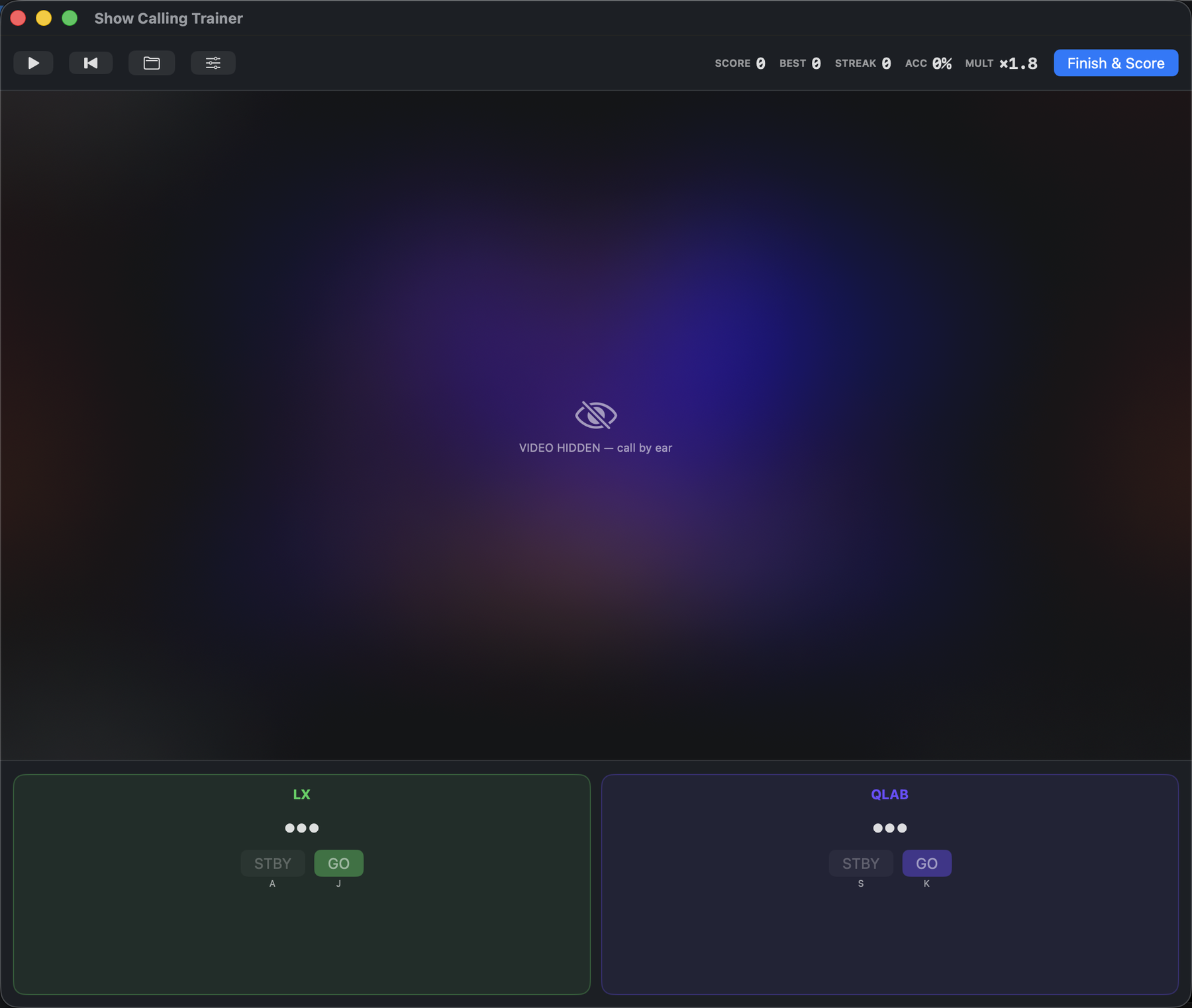
With Hide video and Hide hints on, the take is blanked ("call by ear") and the standby prompts vanish. The score multiplier climbs (×1.8 here) to reward the harder call.
Run range & audio
- Run range. Drill the Whole show, or a Cue range from one LX cue to another. The Mac trainer has no act picker; to drill one act, set the cue range to that act's first and last LX cue. (The online trainer does offer acts.)
- Skip gaps with no cues. Jumps a nominated interval, landing 12 seconds before the next cue. Other long gaps are only offered, never taken.
- Show timecode. Runs the take's recorded timecode as a clock.
- Audio output. Route the program audio (usually track 1) to speakers or headphones so you can monitor while you call.
Report
Export PDF saves a branded A4 report: an exam-style pass/fail against the Pass mark, listing the failed cues with their off-by deltas. It reuses your session-report company name and logo.
Verify & Export signs the result online first, so a tutor can check that the grade is genuine and which recording it was called against. It proves the grade and the file, not that the calling was done live in a room.
Online trainer
The same drill runs in a browser at showrevue.com/trainer, so a DSM can practise on any
machine without the app installed. Drag a ShowRevue .mp4 recording onto the page and it reads
that take's own cues. Nothing is uploaded; the file stays on your device, and the scoring runs
locally. A ProRes .mov won't play in a browser, so drop its _cues.json sidecar in alongside, or
export an .mp4.
Enabling a recording for online training
The full online drill and its certificate are gated to recordings enabled from a Professional (or higher) licence. A qualifying recording carries a server-signed entitlement token; the trainer verifies that token against the file's cues and, only then, runs the drill and issues certificates. A token-less file is blocked at a licence wall.
To mint the token, open the recording in ShowRevue and choose Playback ▸ Enable Online Training… while signed in on a Professional or Max licence. This embeds the token in the recording (and its sidecar) and writes the show's acts into the file so the online trainer can offer act picks. The token binds to the cue payload, not the file bytes, so it works on old recordings and survives re-embedding.
Recover Timecode from Audio
For takes where LTC was recorded to a track but never decoded live (wrong routing, engine down), choose Playback ▸ Recover Timecode from Audio…. It reads the recording's audio offline, runs the LTC through the app's own decoder, and writes the recovered timecode segments plus a per-cue LTC stamp back into the recording.
Choosing what to rehearse
Before a frame plays, the trainer asks what to drill:
- Whole show, a single act (the stretch between nominated intervals), or a cue range.
- Call by ear hides the video so you call blind, or Watch the stage keeps it visible.
If a recording has no nominated intervals, no act list is offered. Nominate the intervals in ShowRevue and re-enable online training to get act picks in the browser.