Show Safety
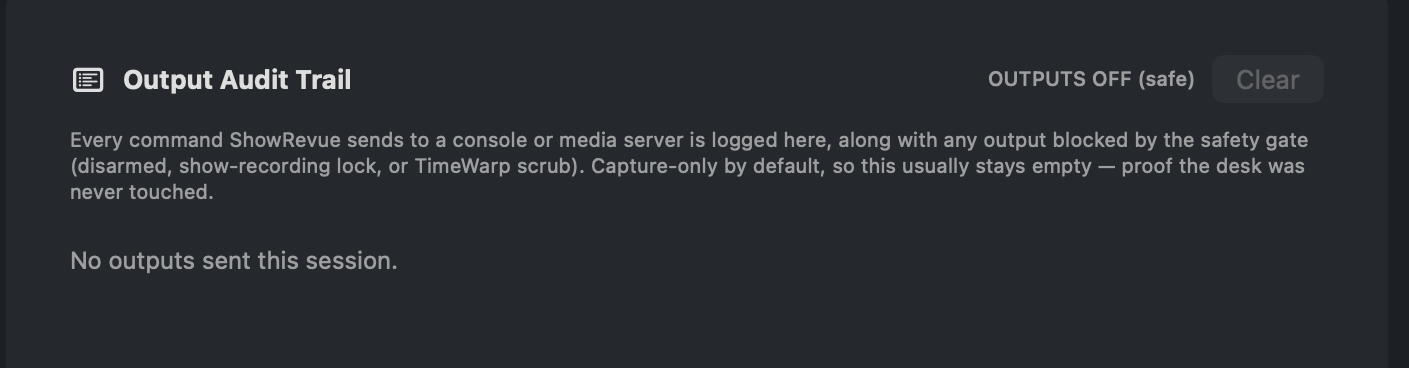
Preferences → Diagnostics: the Output Audit Trail logs every console/media command; OUTPUTS OFF means the desk was never touched.
ShowRevue is show-safe. It's a recorder, not a controller. During a live show its job is to listen: capture cues, scene recalls and timecode alongside the video. The features that can send data back to your consoles are deliberately fenced off so they can't disturb a running show.
What a Show session changes
Pick Show in the session menu next to Record and two things change while it records:
- No cue commands go out. With Block console output during Show recordings on (it is by default, in Preferences → Lighting Consoles), ShowRevue sends nothing to the lighting desk, QLab, Millumin, Pixera or disguise for the whole take, armed or not.
- Stop becomes Hold to stop. You hold the button down for a second (it fills as you hold) so a stray click can't end the recording halfway through act two. Rehearsal sessions stop on a click.
Anything ShowRevue sent, and anything it blocked, is listed in the Output Audit Trail.
Capture, not control, while recording
While you're recording, ShowRevue captures. It does not drive your consoles. Firing cues back out (to a lighting console, QLab, Millumin, Pixera or disguise) only happens in playback / Follow, when you're reviewing a recording, never as a side effect of recording one.
Arm to fire
Every output to a console or media server (OSC console GO/GOTO, QLab START, Millumin column launch, Pixera and disguise fires) is disarmed by default. ShowRevue starts every launch with outputs off, so a misclick can't fire the desk.
To enable fireback, arm outputs with the toggle on the Playback tab. It reads OUTPUTS OFF (muted) when safe and ARMED (red) when live. Arming is per-session and never persists. Quit and reopen and you're back to safe.
One gate for all outputs
When armed, fireback still passes a single safety gate. It is blocked whenever any of these hold:
- Recording a Show session (with Block console output during Show recordings on, the default). The live desk is left alone during the show.
- TimeWarp (DVR) scrubbing. Scrub is monitor-only and must never drive the desk backwards.
- Monitor Only mode. Review without ever touching the rig, whatever else is armed.
- Outputs disarmed. See above.
This applies to all fireback paths (lighting OSC, QLab, Millumin, Pixera, disguise), not just lighting.
Recording a rehearsal session does not apply the show lock. Once armed, fireback works normally there. The lock is specifically for Show sessions.
Follow mode sends the moment you enable it
Follow mode restores the show's state as soon as it is switched on, and again after a seek, so the rig matches what's on screen instead of waiting for the next cue. That means pressing FOLLOW reaches the desk immediately. It is not a standby.
It sends the most recent cue at or before the playhead, once per cue list and per media source. Never the cues in between, so it can't burst-fire a show's history at a live console.
Everything on this page still applies: outputs must be armed, and the gate below blocks it like any other fireback. When a gate stops it, ShowRevue names the gate rather than reporting that it matched.
Output audit trail
Preferences → Diagnostics holds the Output Audit Trail: every command ShowRevue actually sent to a desk or media server, and every attempt the gate blocked, with the reason (outputs disarmed, show-recording lock, TimeWarp scrub or Monitor Only). The header shows OUTPUTS OFF (safe) or OUTPUTS ARMED. Because ShowRevue is capture-only by default, this list normally stays empty, which is the point: it's proof the desk was never touched. Clear it per session if you want a clean record.
Audio consoles are capture-only
ShowRevue never recalls scenes on a Yamaha (or any audio console). It connects over RCP only to listen for scene-recall notifications.
To label a captured cue, ShowRevue needs the scene's name. Which isn't included in the
recall message, so it sends a short read-only query (devinfo, ssinfo_ex). These are
gets, not sets: they read information back and cannot change anything on the desk. Recalling a
scene during a recording is captured as an Audio cue; the desk is never touched.
Recommended: disable inputs you aren't using
The safest surface is the one that's turned off. If you don't actively use a control input during performances, disable it:
- OSC remote control. If you don't drive ShowRevue's transport from a console or Stream Deck during the show, turn it off in Preferences → Control. (Cue capture is a separate input and can stay on.)
- Console output / fireback. Leave it disabled unless you specifically need ShowRevue to fire cues, and keep Block console output during Show recordings on.
Quick pre-show checklist
- Session type set to Show (Stop reads Hold to stop once you're rolling).
- Outputs disarmed (OUTPUTS OFF) unless you're deliberately firing back this session.
- Block console output during Show recordings enabled.
- Any unused control inputs (OSC remote, fireback) disabled.
- Follow mode off unless you're using it. It sends to the desk the instant it's enabled, not when playback next reaches a cue.
- Confirm the desk and ShowRevue are on the network you expect (ideally an isolated rig network, not sharing the production control LAN if avoidable).